
Kadenze aims to be more than “just another MOOC site.” It brands itself as the online learning home for creators — artists, musicians, designers, people who work at the intersection of art and technology. In 2025, I find it remains one of the more distinctive platforms in that niche. But “distinctive” doesn’t always mean perfect.
Below you’ll find a candid, in-depth look: what it does well, where it struggles, how its courses shape up, how pricing works, and whether, in my view, it’s worth your time.
Overview of Kadenze
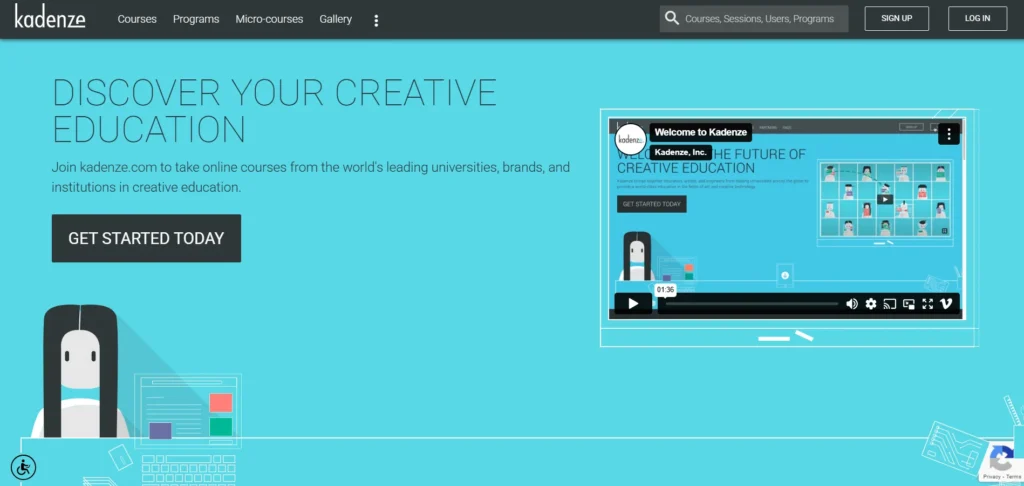
Kadenze was founded to bridge creative practice and technical skill. Its ambition: to deliver courses not only in art or design, but in computational arts, sound design, interactive media, generative art, and the allied technologies that creatives increasingly use. The idea is that artists no longer just draw or paint — they code, they design interactive installations, they build sound environments. And Kadenze tries to support that.
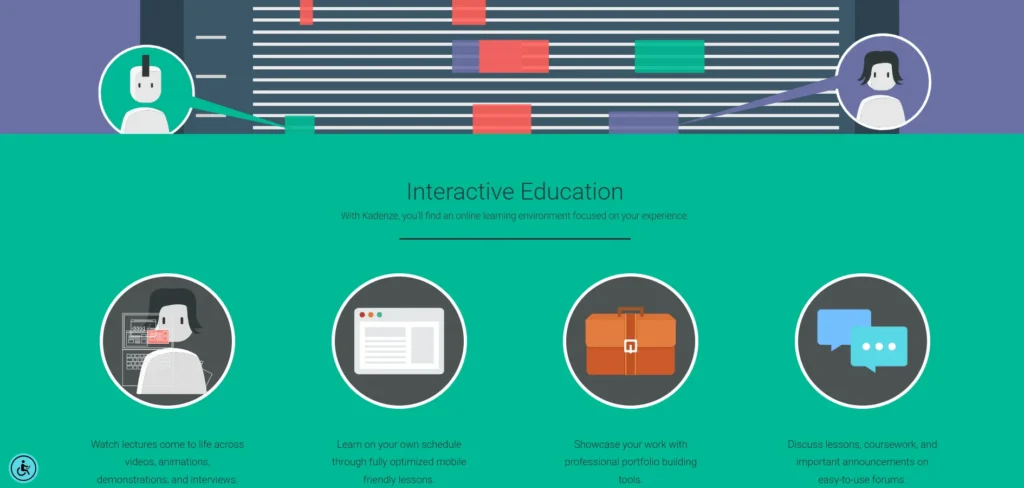
The platform is built around a custom learning system (often called Kannu) that’s more media-friendly than traditional LMSs. It allows embedding of audio, visuals, code, interactive exercises, student galleries, peer feedback, assignment submission, and portfolio views. The goal is to fit the creative workflow, not force creative work into a “video + quiz” mold.
Because of that focus, Kadenze tends to attract institutions and instructors in art, music, computational media, and research labs, rather than generalist course creators. That gives it more credibility when you’re in those domains.
Still, every platform has trade-offs, so let’s break those down.
Features of Kadenze
Let me walk through the main features you’ll want to compare when judging any online learning platform — and where Kadenze stands.
1. Course Variety and Quality of Content
One of Kadenze’s strengths is its catalog. As of now, it lists nearly 190+ courses. Many are free to audit (view lectures), while premium access unlocks deeper engagement. The catalog covers topics like:
- Machine learning applied to art and sound
- Max/MSP programming
- Ableton Live and general music production
- Interactive media and sound design
- Visual art, drawing, generative systems
- Sound and acoustic sketching
The “Machine Learning for Musicians and Artists” course is among the more popular ones. It teaches how classification, regression, clustering, segmentation, etc., can be used in sound, gesture, and interactive systems. Many learners praise the blending of technical depth with creative relevance.
Another example: a course called Max MSP Programming: Structuring Interactive Software for Digital Arts is about 100 hours long, with emphasis on sound synthesis, video processing, cross-modal mappings, and creative programming.
Also, Kadenze offers micro-courses (shorter, focused) like “MuseScore: Mastering Music Notation” which target more narrow skills. Some of those are priced modestly (for example, $12 USD in one case), though sometimes with regional restrictions.
The variety is good, especially for creative tech fields. But the downside is that content quality is uneven: some courses are superb, others feel dated or less polished. Reviews mention that a few courses use older coding libraries or techniques. That’s common in fast-moving fields like audio programming or generative art.
Also, not every topic is deeply covered. If you already know a lot, you may find gaps. But for many creatives wanting to cross into code or media tech, the catalog is strong.
2. Interactive Learning Environment
This is one of Kadenze’s defining features. They don’t just give you videos — you do stuff. You submit projects, get feedback, see others’ work, compare approaches, and iterate. That’s essential in creative domains where showing is as important as knowing.
As a premium member, you can:
- Submit assignments
- Receive grades or feedback
- Access exclusive video lessons beyond what auditors see
- Build a portfolio of submitted works
- Participate in forums and peer review
This turns Kadenze from passive content to an interactive studio experience. Many users say that portion is what makes it feel like a real class, not just a video series.
However, there are complaints about UX (user experience) — people say the interface can be confusing, navigating the galleries or submissions can feel clunky. Also, the responsiveness and speed sometimes lag. In short: the tools are there, but they don’t always feel polished or frictionless.
3. Portfolio Development
Because art and media are visual or auditory, having a body of work you can show is critical. Kadenze builds this into its structure. As you do assignments, you can make them part of your public or semi-public gallery. Over time, you create a curated portfolio that reflects your learning journey.
That’s much more valuable than a certificate alone. For creatives, your portfolio often matters more than a transcript. Kadenze’s system supports media embedding, code snippets, sound files — so you don’t have to shoehorn your work into generic text. That’s a big plus.
4. Flexibility in Learning
Many courses are self-paced or adaptive. That means you can learn at your own schedule (within some deadlines, in some cases). The “Nature of Code” course is an example: you enroll in sessions, modules unfold, assignments follow, but you can keep up at a comfortable pace. Some lessons or parts are marked “Premium only.” (In that course, the first lessons may be open, but deeper ones and assignments are locked unless you upgrade.)
The audit/free tier lets you watch lectures, browse forums, and access many resources — enough to test whether the style suits you. But you can’t submit projects or earn certificates in audit mode.
One limitation: offline access is weak or nonexistent. You generally need a reliable internet connection. Also, in certain countries, premium membership purchasing is restricted. For instance, Kadenze notes “Not available for purchase in India” on some pages. That’s a significant caveat for learners in those regions.
5. Certification and College Credit
Kadenze goes beyond mere certificates. Some courses are credit-eligible. That means the institution offering the course (a partner university) may grant actual academic credit when you complete it. You can enroll in a “credit eligible” track (if you’re a premium member), complete extra requirements, and potentially get transferable credits.
In addition, Kadenze runs Programs (specializations) — bundles of courses around a theme. Complete all components, pass summative assessments, and you get a Specialist Certificate. If the program is credit-eligible, you may also receive college credit as part of your completion.
That said: credit transfer is never guaranteed. Many learners mention frustration: even when their university pre-approved a course, the actual credit equivalency turned out to be problematic. A reviewer on G2 (who claimed to have taken two courses toward graduation) said they “had a very hard time transferring these courses,” because the grading or equivalency didn’t match. That’s a real risk: you might invest time and money and find the credit isn’t usable to your degree.
6. Supportive Community
One of the big advantages of Kadenze is that you don’t learn in isolation. The platform fosters peer interaction:
- Forums attached to courses
- Galleries of student work you can critique or draw inspiration from
- Peer review systems
- Discussion threads about assignments and creative process
That sense of community is vital in creative fields. Many learners mention that seeing how another student approached a problem was eye-opening. Others say the feedback from peers helped them refine their ideas.
The drawback: community vibrancy depends on course activity. If a class is low enrollment or older, the forum can feel quiet. Also, since Kadenze’s user base is smaller than big generalist platforms, the network effect is weaker in some niches.
7. Institutional Collaborations and Credibility
Unlike many online platforms that are wholly independent, Kadenze partners with institutions (universities, art schools, labs) and expert faculty. That helps raise legitimacy. It also supports the credit-eligible structure, because the partner institutions stand behind course design or credit approval in some cases.
Because of that, many courses feel more grounded, academically-informed, and less fly-by-night. But institutional partners also constrain flexibility: updates may lag, bureaucracy may slow changes, and some courses may feel more “academic” than “fun.”
Courses Offered
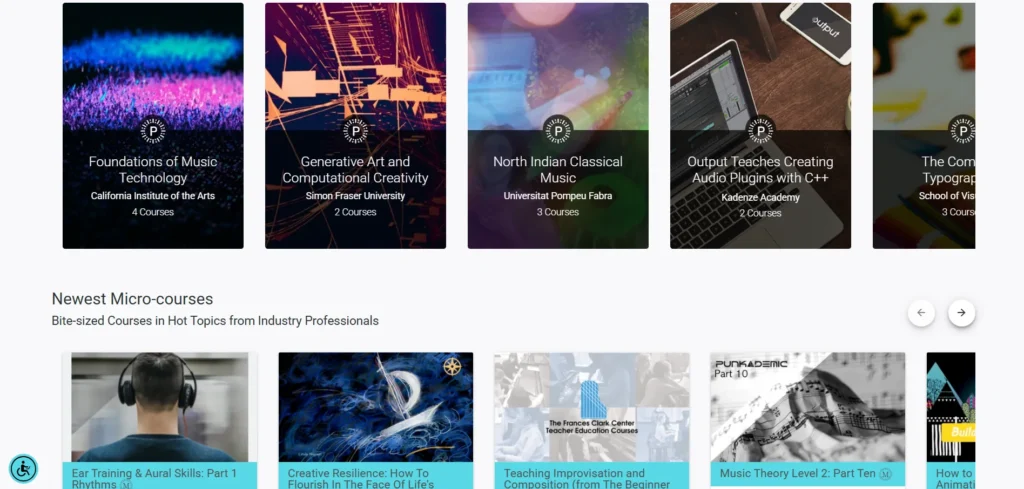
Here are some noteworthy courses or tracks you’ll find on Kadenze. These illustrate what you can study, though this is not exhaustive.
Kadenze offers a diverse selection of specialized courses tailored for artists, musicians, and creative technologists. Each course is designed not only to teach essential skills but also to help learners apply them in real-world creative projects. Below are seven standout courses that highlight what makes Kadenze such a valuable platform for creatives.
1. Machine Learning for Musicians and Artists
This course bridges the gap between artificial intelligence and creative expression. It shows learners how to use machine learning algorithms to generate music, visuals, and interactive art. Students explore how AI can serve as a creative partner, enhancing originality rather than replacing it. By merging technology with artistic intent, the course helps learners discover new forms of digital creativity and innovation.
2. Generative Art and Computational Creativity
This program dives into the fascinating world of algorithmic art. Students learn how to use code and computational tools to create dynamic, evolving works of art. The course covers key programming concepts, creative coding techniques, and the use of digital tools for generative design. It’s ideal for artists and designers who want to blend art and technology, exploring new ways to make art that’s interactive, data-driven, or even self-evolving.
3. Ableton Live Music Production
Ableton Live is a staple in modern music production, and this course helps students master it from the ground up. It walks learners through every stage of the production process—sound design, composition, recording, mixing, and mastering. Whether you’re completely new to digital audio workstations or an experienced producer looking to sharpen your craft, this course provides a clear, practical path to creating professional-quality music.
4. Max/MSP Programming for Interactive Media
Max/MSP is a visual programming language used for building interactive sound and multimedia projects. This course guides students through creating their own interactive systems, from sound sculptures to live performances. Learners gain hands-on experience designing responsive environments where sound, visuals, and user input come together. It’s perfect for artists who want to explore performance-based media or interactive installations.
5. Electronic Music Production
This course takes learners through the essentials of creating electronic music, combining both technical knowledge and artistic vision. Topics include synthesis, sampling, rhythm programming, and creative mixing techniques. Students get a solid foundation in the tools and workflows used by professional electronic musicians. By the end, they’ll have the confidence and skills to produce original tracks and build a portfolio that showcases their sound.
6. Sound Production for Musicians
Focused on the technical backbone of music creation, this course covers everything from recording techniques to mixing and mastering. Students learn how to capture clear, balanced sound and refine it into polished, professional results. The lessons also emphasize the creative decision-making behind great production. It’s a must for musicians who want to produce their own recordings or gain a deeper understanding of studio work.
7. Interactive Sound Design
This course explores the role of sound in interactive media such as video games, virtual reality, and digital art installations. Students learn how to design immersive soundscapes that react to user input and environmental changes. The curriculum covers core principles of sound design along with advanced interactive techniques. By the end, learners will know how to craft audio that enhances storytelling and creates rich, engaging experiences across digital platforms.
These offerings show that Kadenze spans both technical and artistic domains — code, sound, visuals, notation — and tries to cater to creatives bridging those fields.
Pricing Structure
Here’s how Kadenze structures costs in 2025:
Free / Audit Tier
- Many courses can be accessed in audit mode for free. You can watch video lectures, view forums, download some course materials.
- You cannot submit assignments, get grades, or earn certificates in audit mode.
- This lets you test content before committing.
Premium Membership
- $20 USD per month is the standard premium subscription cost.
- With Premium, you unlock extra video lessons, can submit assignments, get feedback/grades, build portfolios, and earn verified certificates.
- You also gain discounts (in some cases) for course materials, software, etc.
- Premium is required to enroll in Programs or credit-eligible tracks.
- You can cancel anytime; often there is a free trial period.
- However — in some regions (for instance, India) premium membership is “not available for purchase” for certain courses, which limits access. (I saw this noted in Kadenze’s pricing materials.)
Programs / Specialist Tracks
- To enroll in a Program, you must already be a premium member.
- Each Program has additional costs beyond premium. The cost varies depending on the number of courses, credit status, and program duration.
- Some estimate the price range for Programs (with credit eligibility) to fall between $500 and $900 USD in many cases, though exact numbers depend.
- Programs often unlock exclusive courses and content not available outside of them.
Credit-Eligible Courses
- Some courses allow you to enroll in a “credit option” — you pay more (based on credit units) to gain college-level credit.
- The extra fee depends on how many credits the course offers.
- But again: the credit is only meaningful if your institution accepts it. That’s not guaranteed.
Micro-Courses
- Some very specific, shorter training courses are priced individually (e.g. $12 USD for a music notation course).
- These are more modest in commitment, though not all of them are always open (some have closed enrollments).
One thing to note: G2’s pricing summary mentions “Micro-courses are available a la carte in the $25 – $100 range.” So there is variance. And premium subscription is often cited as $20/month. (From G2 and Kadenze’s pricing page.)
In all, Kadenze’s pricing tries to balance free exploration, moderate subscription cost, and added fees for deeper or credit-bearing content.
Pros and Cons
Let me be blunt: Kadenze is a powerful tool in the right hands — but it has real tradeoffs. Below is my take on what works and what doesn’t, from a learner’s perspective.
Pros
- High-Quality Content: Through collaborations with leading universities and institutions, Kadenze delivers courses that are current, academically sound, and tailored to real-world creative applications. Learners can trust that the material is both professional and practical.
- Flexible Learning Options: Kadenze gives students the freedom to learn at their own pace. Whether you’re exploring a single course for personal growth or committing to a full program, the platform allows you to set your own schedule and progress comfortably.
- Creative Focus: Unlike most general learning sites, Kadenze is designed specifically for artists, musicians, and creative technologists. Every aspect of the platform—from its tools to its course selection—is built with creative education in mind.
- Global Community: Kadenze connects learners from all over the world, creating a diverse and active creative network. Students can share their projects, receive feedback, and collaborate with peers and professionals across different disciplines and cultures.
- Accredited Programs: For learners seeking formal recognition, Kadenze offers accredited courses that can count toward college credits. This makes it an excellent option for students looking to enhance their academic portfolio while developing creative skills.
Cons
- Limited Offline Access: Requires a steady internet connection for most activities.
- Premium Cost: The $20 monthly fee may be steep for some learners.
- Short Course Length: Certain classes could explore advanced topics in more depth.
- Credit Transfer Limits: Not all institutions accept Kadenze’s college credits.
My Verdict: Is Kadenze the Right Platform for You?
If I had to sum it up: Yes, Kadenze is among the best bets for artists, musicians, and creative technologists who want to learn by doing and build a portfolio. But it’s not for casual browsers or those who just want shallow tutorials.
Here’s when Kadenze makes sense:
- You want to explore or master the intersection of art, sound, code, interactivity, generative media.
- You value submitting projects, receiving feedback, and showing work publicly.
- You are okay dealing with potential kinks in interface or regional payment issues.
- You might want academic credit, and you are willing to verify with your institution if they’ll accept it.
- You expect to stay engaged regularly — because passive use (just watching videos) underuses the platform’s value.
When Kadenze might not be ideal:
- You only want occasional, casual learning or tool tips.
- You don’t need deep projects or feedback — you just want videos.
So, is it the best platform for creatives in 2025? I lean toward “one of the best” — especially in its niche. For people deeply invested in creative tech, it outshines many general platforms. But “best” always depends on your goals, location, budget, and how committed you are to doing the work.
FAQs
Is Kadenze free to use?
Yes, many courses are free to audit, but premium access costs $20 per month.
Can I earn certificates on Kadenze?
Yes, premium members receive verified certificates for completed courses.
Are Kadenze courses accredited?
Some courses offer college credits, though acceptance varies by institution.
Can I learn at my own pace?
Yes, most courses are self-paced, allowing flexible scheduling.
Does Kadenze offer offline access?
No, a stable internet connection is required to access most content.