
If you’re trying to decide whether the Google UX Design Certificate is the right launchpad into UX design, this review is for you. I’ll break down how the program works, who it serves best, what you’ll learn (and what you won’t), how much it costs, the strong and weak spots, and whether I believe it’s a solid investment for a beginner.
Let’s dive in.
What is the Google UX Design Certificate?
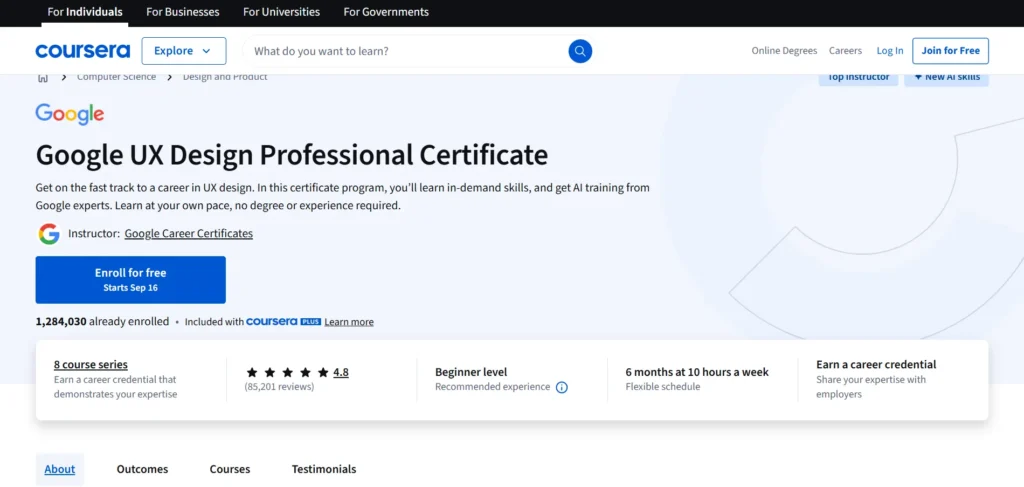
The Google UX Design Certificate is an online training program designed to teach you the fundamentals of user experience (UX) design, from scratch. It’s offered through a learning platform in collaboration with Google, so you get content crafted (or at least overseen) by experienced UX professionals or curriculum designers. The idea is to give someone with little or no design experience a guided path into UX: tools, methods, a portfolio, and a credential at the end.
It is fully remote and self-paced. You’ll be watching video lessons, reading articles or slides, doing quizzes or short checks, and completing hands-on design tasks or assignments. You’ll also review or comment on work from your peers. The end goal is to build a portfolio of UX work you can show future employers or clients.
Because it is a “professional certificate” product aligned with a big name (Google), it carries more visibility than many generic online courses. That said, a certificate rarely replaces actual skills, experience, or relationships in a job search. This course is meant to be a stepping stone—not the entire journey.
Who is the Google UX Design Certificate For?

Before committing your time and money, it helps to know who this certificate works best for—and who might find it frustrating or insufficient.
Great fit for:
- Absolute beginners: If you’ve never studied design, UX, or interaction, this gives you a structured path rather than piecing together tutorials.
- Career changers: If you’re coming from a non-design background and want to move into UX, this offers a lower barrier to entry than a full degree or expensive bootcamp.
- Self-motivated learners: Because the program is mostly asynchronous, your discipline is key. If you can push yourself without external pressure, you’ll get more out of it.
- Budget-conscious learners: Compared to in-person bootcamps or formal university courses in design, this is relatively affordable.
- People who want portfolio work: A major benefit is that you complete several projects, so you don’t just learn theory—you build artifacts to show.
Less ideal for:
- Those craving live mentorship or instructor feedback: The course uses peer review and forums for feedback. If you expect expert critique built in, you may feel underserved.
- Experienced designers: If you already know much of UX, the content may feel repetitive or basic.
- Those seeking guaranteed job placement: The certificate doesn’t come with job guarantees. Many reviewers observe that getting a job still depends heavily on your portfolio, networking, and soft skills.
As one person on a design forum put it: “The course is a nice beginner foundation in UX but it won’t actually get you a job alone or teach you UI design skills.” That quote captures a common caution shared by learners.
So in short: it’s well suited to learners who want direction, structure, and an entry point—but you’ll need to layer in extras (networking, side projects, mentorship) if you want to scale beyond beginner level.
What’s Included in the Google UX Design Certificate?
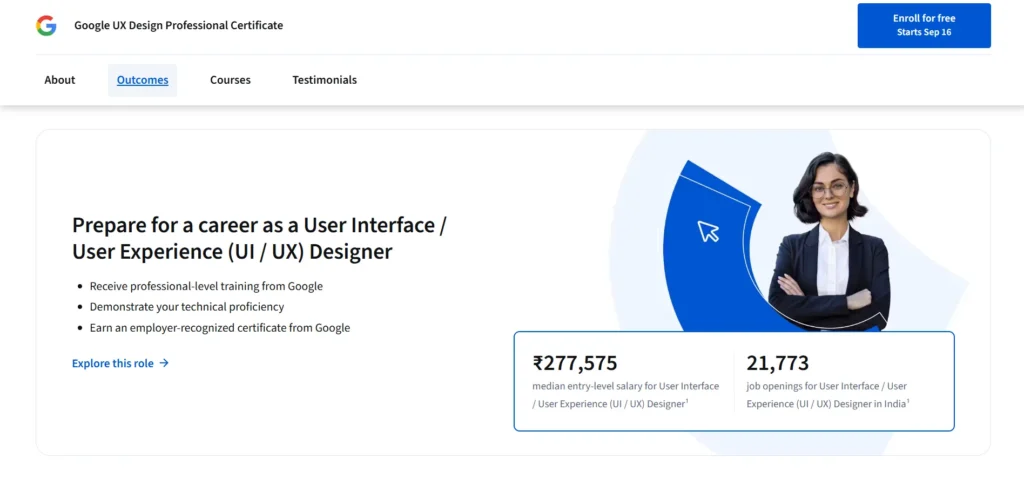
The program is split into seven core courses (modules) plus a job-prep/capstone stretch. The idea is to lead you from conceptual foundation through design execution and portfolio creation. The buildup is sensible: you start with theory and move gradually into real design work.
Below is a breakdown of these core modules and what you can expect in each one.
1. Foundations of User Experience (UX) Design
This module lays the groundwork. You’ll learn what UX means, the role of a UX designer, human-centered design, design thinking, accessibility, and how UX fits into product development. The aim is to build a shared vocabulary and basic mental models so that later design exercises make sense.
2. Start the UX Design Process: Empathize, Define, and Ideate
Here you begin the early stages of the UX process. You’ll practice user research (interviews, observations), synthesize insights, define problem statements, and ideate multiple concept directions. You’ll create basic artifacts like personas, user journey maps, and early user flows.
3. Build Wireframes and Low-Fidelity Prototypes
You move from ideation to visualization. In this module you’ll wireframe (first by hand, then digitally) and prototype simply, exploring layout, flow, and structure without worrying about visuals. The goal is to test user flows before investing effort in refining UI.
4. Conduct UX Research and Test Early Concepts
Testing enters the picture. You’ll learn how to plan usability studies, recruit testers, run sessions, gather feedback, and iterate your low-fidelity prototypes. The emphasis is on validating assumptions and improving your designs with real data.
5. Create High-Fidelity Designs and Prototypes in Figma
This is where visual polish comes in. You’ll move to higher fidelity mockups and interactive prototypes using Figma (and possibly some references to other tools, depending on version). You’ll work with more UI detail, color, typography, consistency, layout, and component systems.
6. Responsive Web Design in Figma
This module deals with designing adaptive layouts that respond to screen sizes (desktop, tablet, mobile). You’ll plan breakpoints, rearrange UI flows visually, and ensure your designs remain usable across devices. It’s an essential skill in today’s multi-device world.
7. Design a User Experience for Social Good & Prepare for Jobs
This is the capstone phase. You pick a real (or inspired) social problem or product and design a full experience end to end: research, wireframes, usability testing, high-fidelity prototypes, etc. You also package your work into case studies, prepare your portfolio, and get guidance on resumes and interview prep. You’ll end up with three portfolio projects by the end.
Along the way, the curriculum weaves in topics like equity, accessibility, ethics, bias in design, and inclusion. It is not just surface UX mechanics; there is attention to thinking responsibly about users and inclusion.
Many learners praise the templates and guidelines the course provides (for personas, user journeys, research plans, etc.), which make starting easier. One writer says the well-structured flow helped them avoid jumping between isolated tutorials.
However, a few reviewers point out that because of the structured templates, some projects feel “cookie-cutter” — they worry their outputs are too similar to many other students’ work, potentially reducing uniqueness.
Another note: older versions of the course leaned more toward Adobe XD in some modules, though more recent updates emphasize Figma more. The shifting balance can sometimes cause minor friction in different user’s workflows.
Taken together, you’ll go from having no design knowledge to producing polished UX artifacts you can show (if you put in the work). That said, the transition from “certificate projects” to “real world work” can still leave gaps—and awareness of those gaps is part of what makes a designer grow.
Pricing Plans
Cost matters when you’re assessing any learning investment. Here’s how the Google UX Design Certificate handles finances.
- The program is offered under a subscription model, often around USD $49 per month (in many international markets) for access to all content.
- There is usually a free trial (seven days in many regions) so you can explore before paying.
- The official recommended pace is about 10 hours per week, with an estimate that you can finish in 6 months. Under that assumption, the total cost would be about $294.
- If you go faster, your cost goes down (fewer months paid). If you take longer, it goes up, because subscription continues.
- Many learners report it taking closer to 7–8 months (or more) because they slow down, revisit materials, or take breaks. In those cases, cost might reach $350-$400+.
- Because it’s a subscription, procrastination or long breaks can inflate your cost significantly.
Compared to full-time bootcamps, campus-based programs, or in-person design classes, this is quite affordable. But it’s not free, and time is part of the price. And because the cost scales if you stretch it out, discipline matters.
Pros of the Google UX Design Certificate
The advantages of this certificate are significant, especially for beginners. These are the areas where it tends to shine in reviews and user feedback.
1. Beginner-Friendly Structure
One of the most praised features is how well organized the content is. Lessons are broken into manageable chunks, explanations are clear, and the learning path feels logical and progressive. Many say that without this structure, they’d struggle to know what to learn next.
2. Hands-On Projects / Portfolio Output
You don’t just absorb theory—you build things. The requirement to complete real projects and package them into case studies is a big plus. It forces you to practice, iterate, and think end to end.
3. Exposure to Industry-Relevant Tools
You’ll get comfortable in Figma (the current favorite in many design teams). You’ll build real interactive prototypes, work with layouts, responsive design, and design systems. These are not toy tools—they’re used in many design roles today.
4. Flexibility & Affordability
You can learn at your own pace. You don’t have to quit your job. The subscription model, though imperfect, offers a lower barrier to entry than many alternatives. You can try before you commit.
5. Branding & Credibility
Having “Google UX Design Certificate” on your resume catches attention. It signals you have completed a recognized UX curriculum. That brand value does lend extra weight compared to many anonymous online courses.
6. Emphasis on Ethics, Accessibility & Inclusion
Many courses skate over these. This certificate consciously threads in accessibility, inclusive design, and awareness of bias. That’s a positive in today’s UX world where these concerns are increasingly important.
7. Community & Peer Learning (to some degree)
Though not a substitute for mentors, peer feedback, discussion forums, student communities, and study groups add value. You can see how others think, get ideas, share work, and (if you’re proactive) get additional feedback from peers.
Cons of the Google UX Design Certificate
No program is perfect. Here are the weaknesses that many learners flag—and what to watch out for if you enroll.
1. Limited Mentorship or Professional Feedback
Your submissions are mostly reviewed by peers, not experienced designers or instructors. Some learners report frustrating experiences: well-thought-out work getting lukewarm reviews, or superficial feedback like “nice colors.” In one reviewer’s words, “projects with alignment issues sometimes got a one-sentence compliment.”
Plus, because peers themselves are learners at different levels, quality of critique is inconsistent.
One writer expressed irritation that the grading system allows randomness or low-effort submissions to be rated highly because of lenient peers.
2. No Job Guarantee / Sparse Career Support
Although the certificate includes modules on resume writing, interview prep, and job strategy, many feel career support is weak when you compare to bootcamps that offer job placement or one-on-one coaching.
Graduates often say the certificate helps you prepare but doesn’t assure you get a job. Thinking realistically, your portfolio, network, and interview skills will matter just as much or more.
3. Self-Paced Format Can Be Hard to Stick With
Without deadlines or external accountability, some learners lose momentum or stall. Stretching the course across many months increases risk of dropoff and extra cost.
If you’re not someone who works well alone, this format may feel lonely or dragging.
4. Breadth Over Depth in Some Areas
Because the course covers the full UX arc, some parts are shallow. Several reviewers say that UI design, advanced prototyping tricks, detailed motion design, or specialized UX domains (e.g. voice UX, VR, advanced microinteractions) are not deeply covered.
One user noted that the UI tool instruction is basic; to get truly strong UI skills, you’ll need extra practice or courses.
5. “Cookie-Cutter” Outputs Risk
Because everyone follows structured templates and prompts, some worry that student projects might start to look similar. That can make it harder to stand out.
One reviewer said they felt “lost” halfway through because their work felt too derivative of what others had done. They ended up looking for a mentor to distinguish their voice.
6. Cost Creep & Procrastination Risk
As mentioned, if you take too long, the subscription model means you pay extra. If life intervenes, your cost might balloon.
For learners who procrastinate or take frequent breaks, the cost advantage diminishes.
7. Curriculum Updates & Tool Changes
UX tools evolve fast. Some older modules may reference older versions of tools (e.g. Adobe XD in older iteration). If the course is not updated frequently, you might face slight misalignment with tools in industry at a given moment. Some learners mention friction when module content doesn’t fully sync with current versions of Figma or UI tool conventions.
Conclusion: Is the Google UX Design Certificate Worth It?
So, is it worth it? Yes—with conditions.
If you are a beginner who needs structure, wants to build a UX portfolio, and can stay disciplined, this certificate is a worthwhile investment. It gives you a coherent curriculum, real projects, exposure to modern tools, and a credential backed by Google.
That said, it is not a silver bullet. On its own, it won’t guarantee you a job. You’ll need to push beyond the certificate: get mentors, do extra side projects, network, absorb industry trends, build soft skills like communication, refine your portfolio, and get real client or volunteer work where possible.
If you’re someone who thrives with coaching, live interaction, or in a cohort model, you might find bootcamps or mentorship-based programs a better fit (though costlier). But for many people, this certificate offers high value for the money, especially compared to many scattered online tutorials or random YouTube playlists.
In sum:
- For a true beginner, it’s a strong, low-cost path to learn UX fundamentals and start building a portfolio
- For experienced designers, it may offer low marginal benefit
- To turn this into a career, you must supplement—get feedback, real experience, and sharpen your personal voice in design
- The biggest risks are procrastination (which inflates cost) and generic output (without efforts to differentiate your work)
If your goal is to break into UX, I’d say this certificate is a smart first step—provided you commit to doing the extra work alongside it.
FAQs
How long does it take to complete?
The recommended pace is about 10 hours per week, which leads to a six-month timeline. Many learners take 7–8 months or more, depending on life commitments, review cycles, and how deeply they explore extra resources.
Is the peer review model sufficient feedback?
Peer review gives you some feedback and accountability, but it’s uneven. Many learners want expert critique or mentorship for deeper growth. Use the peer reviews, but try to get additional critique from professionals, friends in design, or mentors.
Will this certificate alone get me a UX job?
Unlikely. The certificate helps you build foundational knowledge and portfolio pieces, but landing a job usually requires networking, applied experience, soft skills, interview practice, and sometimes more specialization.
What extras should I do alongside the certificate?
- Join UX communities or Slack/Discord groups
- Find a mentor who can critique your work
- Do side projects (real or dummy apps) beyond the prescribed ones
- Stay updated on UX blogs, podcasts, trends
- Practice storytelling and communication of your design decisions
What happens if I take too long?
Because it’s subscription-based, your monthly cost continues until you finish or cancel. Delays or breaks raise your total expense. To avoid cost creep, set a schedule, block time, and try not to extend it unnecessarily.