
Kaggle has become a household name in the world of data science. Whether you are an aspiring data analyst trying to sharpen your skills or a professional exploring new machine learning challenges, Kaggle offers an environment that blends learning, competition, and collaboration. It started as a platform for predictive modeling competitions but has evolved into a full-fledged ecosystem for data science enthusiasts worldwide.
What makes Kaggle stand out is its accessibility. Everything you need—from thousands of open datasets and interactive notebooks to free online courses—is available in one place. You can experiment with data directly in your browser without installing heavy tools or paying for cloud resources. For many, it’s the easiest way to get hands-on experience with real-world data and see how others approach the same problem.
Beyond the tools, Kaggle’s true strength lies in its global community. Millions of data scientists, engineers, and learners share their code, ideas, and insights daily. This collaborative atmosphere encourages experimentation and creativity. You can learn from top performers, ask for help in discussions, or even build your own portfolio by publishing notebooks and joining competitions.
Still, Kaggle isn’t without its flaws. Some users feel it promotes competition over understanding or focuses too much on leaderboard performance. But when used thoughtfully, Kaggle is one of the most powerful free platforms to learn, practice, and grow in data science. It’s both a training ground for beginners and a proving ground for professionals looking to test their limits.
What is Kaggle?
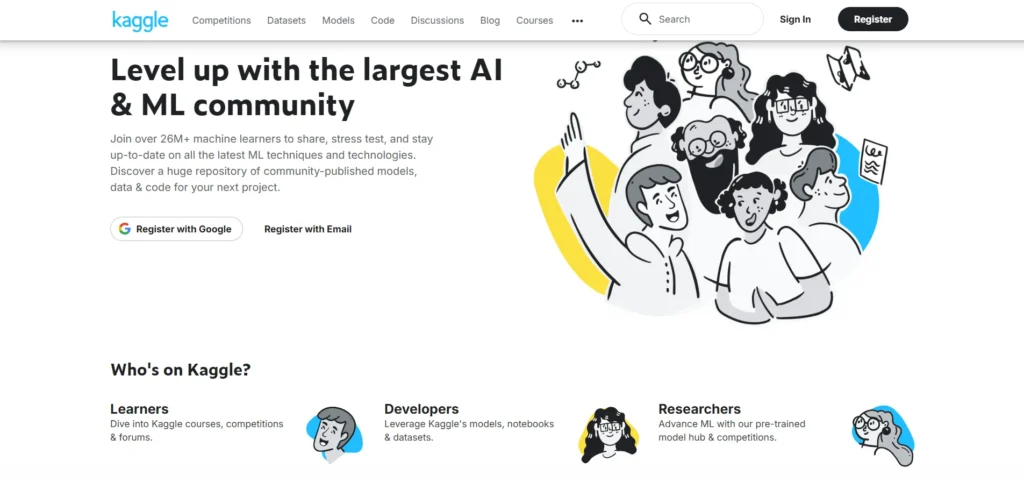
Kaggle is an online platform built for data science and machine learning enthusiasts. Founded in 2010 and now owned by Google, it brings together everything you need to explore data, build models, and learn new skills—all in one place. At its core, Kaggle offers four main pillars: datasets, notebooks, competitions, and courses.
The platform hosts thousands of open datasets across fields like healthcare, finance, and sports. Users can analyze these using cloud-based Jupyter notebooks without needing to install any software. Kaggle also runs global competitions where individuals and teams solve real-world problems for prizes or recognition. These contests attract both beginners and professionals who want to test their skills or learn from others.
Another major highlight is Kaggle Learn, which provides free, short, and practical courses covering topics such as Python, machine learning, and data visualization. It’s an easy way to practice coding and build applied skills.
Kaggle’s community is one of its biggest strengths. Millions of users share code, discuss challenges, and help each other grow. Whether you’re building your first model or competing for a leaderboard spot, Kaggle provides an inclusive, hands-on environment to learn, collaborate, and showcase your work in the data science world.
In essence, Kaggle is a playground, a library, a training ground, and a (friendly) battleground all in one.
The Community Aspect of Kaggle
One of the biggest reasons people stick with Kaggle is the community. The value of seeing how someone else approached a problem—especially a model that ranks well—is hard to overstate.
- You can examine others’ notebooks, fork them, modify, and learn from them.
- The discussion forums are active. People ask questions, help each other debug, and critique approaches.
- Users earn reputation, medals, and ranks—Novice, Contributor, Expert, Master, Grandmaster—based on their activity and contest performance.
- Some users say Kaggle is a great place to observe how real practitioners think and structure code, especially in competitions.
At the same time, a few critiques emerge in community feedback:
- Because top competition solutions are so polished and specialized, they might not always generalize or translate well to typical work.
- Some warn about getting overly focused on leaderboard rankings and missing the bigger picture.
- There’s also a “copy-and-tweak” danger: some less experienced users might simply copy winner code and not understand it.
Still, most reviews say the community is a net positive, especially for learning, networking, and staying exposed to advanced methods.
Key Features of Kaggle
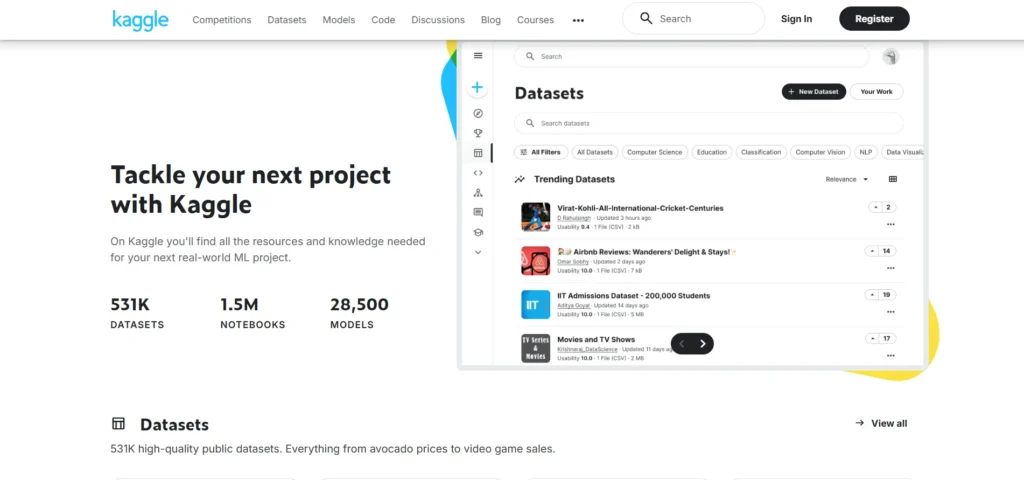
Let’s break down the features that really differentiate Kaggle.
1. Massive Repository of Datasets
Kaggle hosts tens of thousands of publicly shared datasets—from small CSVs to large image sets. You can search by topic (health, finance, sports, etc.), file type, and size. Many datasets include sample code and context.
Having such a resource at your fingertips means you don’t always have to hunt for data elsewhere. It’s also a great place to get ideas: see what others are analyzing, then try it yourself.
2. Jupyter Notebooks for Data Exploration
Kaggle provides its own notebook environment (browser based). You don’t need to install anything locally. You can load data, write code, visualize, and share—all on the platform.
This lowers the barrier to entry. Even if your local environment is messy or your machine is slow, you can still experiment. Many users point to this as a major advantage.
3. Data Science Competitions
This is the feature many people first hear about when Kaggle is mentioned. Organizations post problems (with data and rules), and the community competes for the best predictive model, judged by a metrics like RMSE, AUC, or log loss.
Competitions come in varying levels—some are beginner friendly, some are extremely difficult. The top solutions often combine many models (ensembles), careful feature engineering, hyperparameter tuning, and clever hacks.
Competitions offer prizes or recognition. Even when you don’t win, you can learn by examining winner solutions. But be warned: the competition game can drive you to optimize for leaderboard performance rather than real-world robustness.
4. Kaggle Courses (Kaggle Learn)
Kaggle offers free micro-courses covering Python, data cleaning, machine learning, deep learning, data visualization, SQL, and more. These tend to be short, hands-on, and meant to be practical rather than deeply theoretical.
Many learners appreciate the direct application. You get code to work on immediately. However, some reviewers say these courses are insufficient in theory—they don’t always explain why methods work, just how to code them.
5. Kernels (Code Notebooks)
“Kernels” was the old name; now Kaggle refers simply to notebooks or code. These are shared code notebooks people use for analysis, modeling, or exploratory data work.
You can publish your own notebooks, or see what others have done. Many top community members regularly publish notebooks that show elegant or novel solutions. Studying those is one of the best ways to improve.
From a research paper perspective, some studies have looked at what makes a notebook “high quality” (well documented, well structured) and how expert users differ from novices in notebook style.
Courses Offered on Kaggle
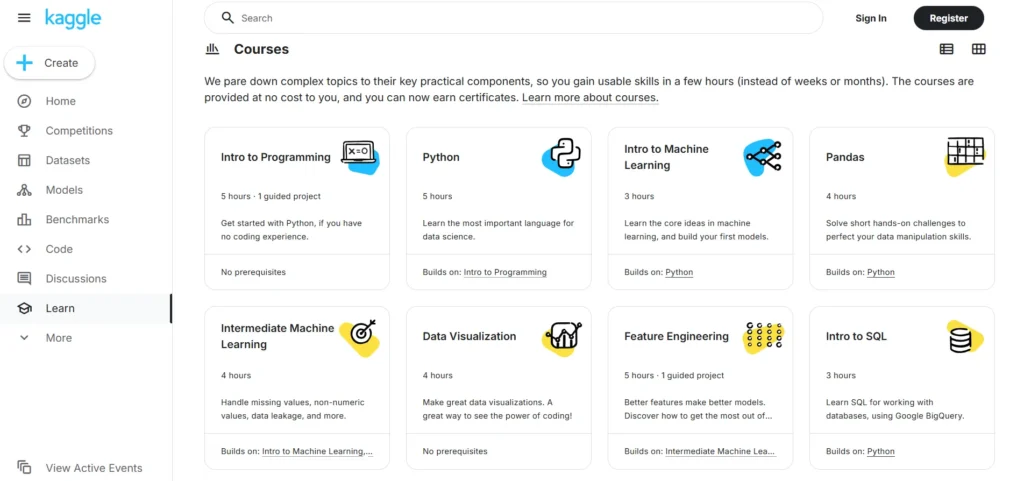
Kaggle currently hosts a suite of free micro-courses. The topics include:
- Python
- Intro to Machine Learning
- Intermediate Machine Learning
- Data Visualization
- SQL
- Pandas
- Deep Learning
- Feature Engineering
- Computer Vision
- Time Series
- And more
These courses are often 1 to 7 hours long. Many include built-in exercises you can run in Kaggle’s notebook environment. People say the courses are useful especially to reinforce practice, though they often need to be paired with deeper theory study.
Pricing of Kaggle
Here’s what you should know about Kaggle’s cost structure:
| Feature / Resource | Cost |
|---|---|
| Account / registration | Free |
| Access to datasets, notebooks, courses | Free |
| Participation in most competitions | Free |
| GPU / TPU usage (in notebooks) | Free (but with usage limits) |
| Private competitions / enterprise features (if applicable) | May involve fees (in special cases) |
To sum up: for most individual users—students, hobbyists, professionals—Kaggle is effectively free.
Pros and Cons of Kaggle
Let’s balance things. What’s great—and what’s not—about Kaggle?
Pros
- Low barrier to experiment: You don’t need heavy local resources; the cloud environment helps you jump in.
- Rich learning through example: You can see how others solved problems, explore their notebooks, and learn from them.
- Huge dataset library: It’s convenient to test ideas quickly using ready data.
- Friendly competition + motivation: Competing with others can push you to improve faster.
- Free courses and practice: Good for coding practice and applied tasks, especially for intermediate users.
- Recognition & portfolio value: Having a well-ranked competition or quality notebooks can boost your portfolio.
Cons
- Competition bias and overfitting risk: You might chase tiny improvements that don’t matter in real tasks. Over-optimizing for metric scores is common. Built In mentions that the platform sometimes gives a skewed perspective of “real” data science.
- Limited theoretical depth in courses: Many users say Kaggle’s courses teach how but not why. (One Reddit user: “it is limited … it doesn’t really teach the concepts behind the algorithms”)
- Resource limits: GPU/TPU use is capped. Some users say that for large, heavy models, you hit ceilings. In reviews, GPU access limit (like 37 hours/week) is cited as a constraint.
- Competitions may not mimic real work: In business or domain projects, data is messy, requirements change, and model deployment matters. Kaggle competitions usually hand you a cleaned dataset and keep things static.
- Leaderboard pressure: Your motivation may become about beating others, not learning. Also, some users feel discouraged if they don’t “rank high.”
- Risk of superficial copying: Beginners may copy code without understanding it deeply.
Conclusion
Kaggle is a powerhouse tool in the data science world. It gives you access to data, a coding environment, community, and challenges—all in one place. For learners and intermediate practitioners, it’s hard to beat in terms of free value.
That said, it is not a substitute for deeper study or real-world project experience. Use it as a supplement, not the whole roadmap. Dive into theory, work on your own problems, and use Kaggle as one strong pillar among many.
If I were advising a friend: start with some micro-courses, try a small competition, explore top notebooks, but don’t obsess over ranks. Use it to build skills, ideas, confidence.
FAQs
Is Kaggle good for absolute beginners?
Yes, but it helps to have some Python and basic statistics knowledge first.
Do top companies care about Kaggle ranks?
Sometimes—but employers care more about your thinking, domain knowledge, and project outcomes.
Is Kaggle sufficient to become a data scientist?
No, it’s a tool—not a substitute for domain experience, theory, and deployment skills.
Can I use my own data on Kaggle?
Yes—you can upload your datasets and work on them in their notebook environment.
Are all competitions free to join?
For most users, yes. Some private or enterprise contests may have restrictions or gated access.