
If you’ve ever wanted to learn a new creative skill — like photography, graphic design, or writing — without going back to school, you’ve probably come across Skillshare. It’s one of the most popular online learning platforms, known for its short, engaging video lessons and its strong focus on creativity and practical skills.
Instead of long lectures, Skillshare offers bite-sized classes you can fit into your daily routine. You can learn directly from artists, designers, entrepreneurs, and professionals who share their real-world experience in a casual, approachable way.
But with so many online learning options out there, it’s fair to wonder whether Skillshare is really worth your time and money. Does it offer enough value for what you pay? Are the classes actually useful, or are they too basic? And how does it compare to platforms like Udemy or Coursera?
In this detailed review, we’ll explore everything you need to know before signing up — what Skillshare is, how it works, what kinds of courses you’ll find, what it costs, and the real pros and cons based on user experiences. By the end, you’ll know exactly whether Skillshare is the right fit for your goals and learning style.
What is Skillshare?
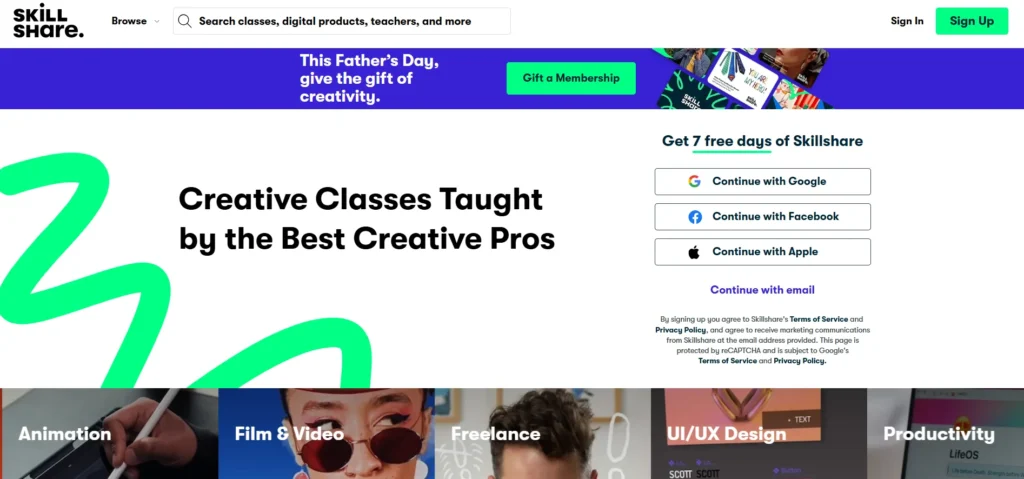
Skillshare is an online learning community built around creative and practical skills. Rather than focusing heavily on academic or theoretical courses, Skillshare leans into creative domains like illustration, design, photography, video, writing, freelancing, and related fields.
The idea is: pick a class, follow short video lessons, do a project, share it, and get feedback. It launched around 2010, aiming to offer a more democratic, peer-driven alternative to traditional education. Over time, it has grown into a large library of classes taught by independent creators and occasional “Skillshare Originals” (classes produced in-house).
Because Skillshare charges via membership, rather than per class, you’ll see a lot of emphasis on breadth, experimentation, and creativity. You can browse many topics and take what interests you without extra fees for each course.
Skillshare Features
To understand what you actually get on Skillshare, let’s break down its standout features — and the quirks you should watch out for.
1. Project-Based Learning
One thing Skillshare strongly leans on is the idea that you learn by doing. Most classes end in a small “project” — it could be a design mockup, a short video, a drawing, a writing exercise, a digital collage, a brand sketch, or a photo edit. The project is optional, but it gives structure and purpose.
You can upload your project to the class page and invite feedback. That encourages you not just to passively watch but to create something. It also builds accountability: when you know you’ll upload, you’re more likely to do the exercises.
Many users and reviewers praise this hands-on angle as one of Skillshare’s biggest strengths. Its creative categories are well suited for this “learn-by-making” approach. (Sources note that project-based structure is a core part of Skillshare’s identity.)
However, the downside is that not all projects or classes are thorough. Some projects are minimal or loosely defined, and in some classes you might finish the videos without ever touching the project — the quality depends heavily on the teacher.
2. Unlimited Access with Subscription
Skillshare operates on a subscription model. Pay for a membership, and you get access to the entire catalog (or at least, the portion designated for Premium users). There’s no separate payment per class or module.
Because everything is “unlocked,” you can explore many topics freely, sample widely, and hop between interests. This is powerful in creative fields where you may want to try drawing one day and social media marketing the next.
But that also means there’s a risk of “bingeing” without focus. If you don’t have a plan, you may drift through classes without depth.
3. Interactive Community
Skillshare aims to be more than a video library. It has class discussions, a gallery of student work, groups around topics, and a social layer of following and commenting. You can ask questions during a class, see what others are doing, and occasionally get feedback.
Some classes flourish in community engagement; others stay quiet. A recurring comment from users is that community value depends heavily on how active the teacher or class cohort is.
In Reddit threads, learners mention this mixed experience:
“Skillshare has some good courses … lots of different sub categories … but not focused or in-depth enough for me.”
“The majority of them are not for beginners … very little intermediate stuff.”
That hints at variability in engagement and depth. (Based on user reviews on Reddit.)
4. Mobile App for Learning on the Go
Skillshare offers mobile apps (iOS and Android) that let you stream classes and download them offline (on the app) for later viewing. This is handy when you commute, travel, or don’t always have a stable connection.
That said, the offline download feature is app-only; desktop or web versions typically don’t support downloads.
Reviews from sites like BitDegree mention that the app is well designed and intuitive, and many learners appreciate being able to learn anywhere. But beware: some classes may not download well if your device storage or connection is weak.
5. Skillshare Originals
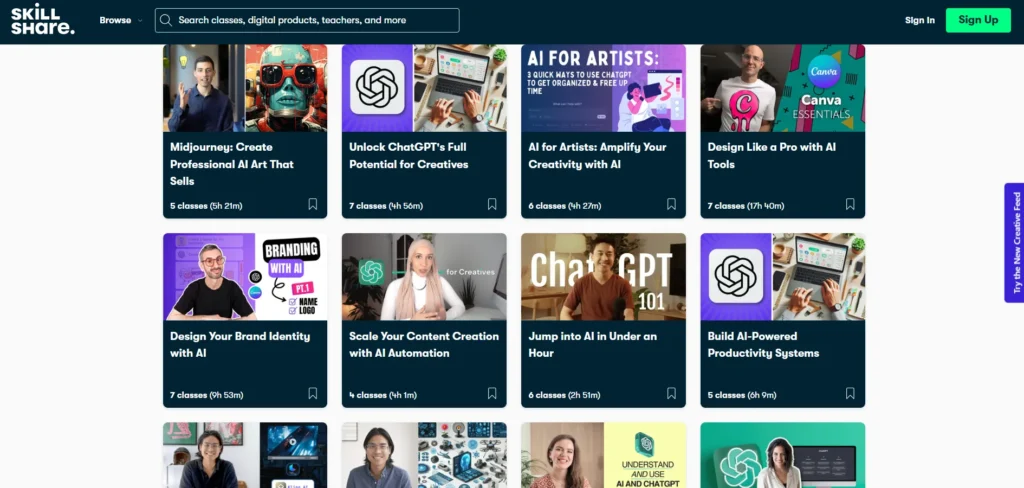
In addition to creator-submitted classes, Skillshare produces its own class brand called “Skillshare Originals.” These tend to come with higher production value, more polished editing, and sometimes tighter structure.
Originals help elevate parts of the catalog and provide more consistent quality. Many reviewers note that Originals often set a standard benchmark — they’re usually safer bets for quality, especially in categories like design, productivity, and creativity.
6. Personalized Recommendations & Learning Paths
As you use Skillshare, the platform suggests classes based on your interests, previous classes, and what’s trending. They also offer “Learning Paths” — curated sequences of classes designed to take you from beginner to intermediate or from exploring to mastery in a topic.
These guided paths help counter the overwhelm of thousands of classes. They give more structure, especially if you don’t know exactly where to start. Many students find this helpful in planning their next steps.
Even so, the recommendation engine is not perfect. Sometimes suggestions lean toward popular or sponsored classes rather than hidden gems.
Skillshare Courses Offered
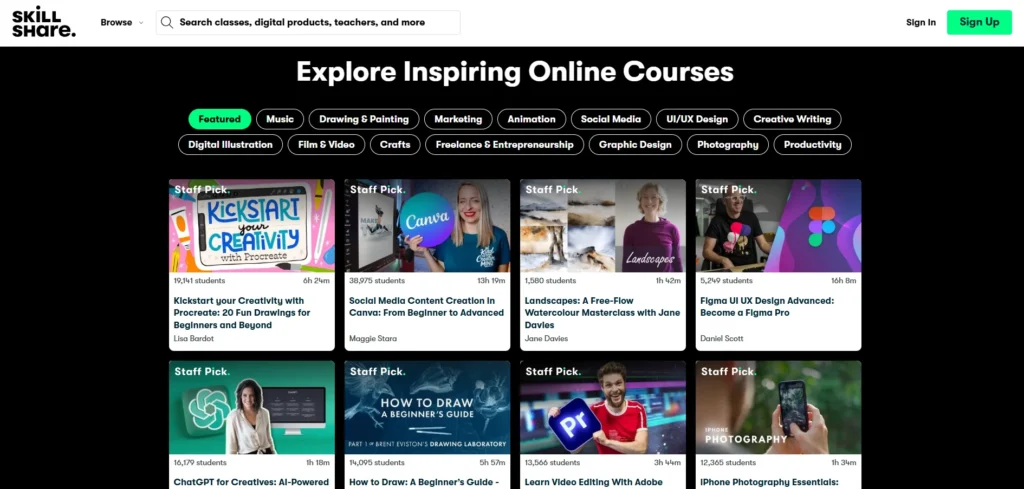
Skillshare’s strength lies in creative and practical curriculum, though it does cover a few tech and lifestyle areas. Here’s a breakdown of major categories and what you can expect in each.
Creative Arts
This is the heart of Skillshare. You’ll find:
- Illustration, digital painting, character design
- Tools like Procreate, Photoshop, Illustrator
- Typography and lettering
- Animation (After Effects, basic motion)
- Photography basics, photo editing, lighting
- Creative writing, poetry, storytelling
- Mixed media, crafts, experimental art
Because these are visual skills, project work is very natural — you can see progress in the work you produce.
Business & Entrepreneurship
To support creators who want to monetize, Skillshare also offers:
- Brand strategy and identity
- Content marketing, social media strategies
- Freelancing: pricing, client management, contracts
- Productivity systems, goal setting
- Side hustle planning and monetization tactics
These courses tend to be shorter, focused on actionable tips and worksheets.
Technology
Skillshare does include tech content, but usually with a creative angle:
- Web design principles (often visual, not heavy programming)
- Basic UX / UI design
- Tools like Figma, Notion, and low-code tools
- Light coding — enough to support creative projects, not full software engineering
If you’re seeking deep computer science or data structures, you’ll find limited depth. Many of the tech classes are introductory or adjunct to design and visual creation.
Lifestyle
Many people enjoy Skillshare for non-career skills too — things you pick up for fun or balance:
- Productivity, journaling, habit building
- Creative writing, journaling prompts, self care
- Cooking, hand lettering, crafts
- Lifestyle art and creative routine classes
These smaller, flexible classes are ideal when you want to learn something fresh but not commit huge time.
From user reviews and course catalogs, you’ll see that creative arts dominate in both volume and attention, but the supplemental categories give Skillshare a bit more balance.
Skillshare Pricing
One of the most important questions: how much does Skillshare cost?
As of 2025, Skillshare’s standard pricing (for many regions) is around USD 13.99 per month when billed annually (i.e. you pay upfront for the year). That comes to about USD 167.88 for a full year. This gives you access to nearly all classes, offline access via app, and the learning tools.
This pricing is often discounted in promotions, especially around sales events. Some new users report getting 40 percent or more off their first year. (Multiple reviews mention discount offers.)
In some regions, monthly billing is supported (through app stores), but usually at a higher per-month cost than the effective rate of the yearly plan.
Be careful: refunds are tightly controlled. If you sign up via a trial (often 7 days) and skip canceling, you’re billed. Some refund eligibility exists if you contact support shortly after billing, but renewals generally aren’t refunded.
In short: you get “all you can eat” access, but you must be ready to use it.
Is Skillshare Worth It?
That’s the question every potential user wants answered. The real answer is: it depends on your goals, habits, and how much you’ll use it. Let’s dig into the strongest reasons for and against.
1. Variety of Classes
Strength: You get a huge range. Want to pivot from illustration to content marketing to productivity? You can. This breadth is a massive selling point.
Weakness: The broadness sometimes means you get fewer deep, high-expertise classes in a niche field. In forums, learners often say many classes are beginner level — once you get past the fundamentals, options thin out.
2. Project-Based Learning
Strength: It nudges you to do, not just watch. That helps with retention and building a portfolio.
Weakness: Some classes have underdeveloped project assignments, or projects that don’t really push your skill. In classes where teacher engagement is low, feedback may be minimal.
3. Pricing
Strength: For heavy users, the annual plan gives excellent per-class cost. If you’re going to explore many classes, it’s cost efficient.
Weakness: The upfront cost is high compared to buying a single class. If you end up taking only a couple, you may not get your money’s worth. Also, refund flexibility is limited — you need to be proactive about trial deadlines and renewals.
4. Community & Feedback
Strength: The community and peer feedback can be motivating and helpful; seeing what other students create inspires you.
Weakness: Community quality is inconsistent. Some class forums are quiet or low quality. If you want prompt mentorship or structured coaching, you might find it lacking.
5. Quality Control & Consistency
Strength: Some classes are excellent, especially the Originals or highly rated ones. You’ll find gems if you vet properly.
Weakness: Because anyone can apply to teach, class quality varies wildly. Some videos may have weak editing, poor audio, outdated content, or vague structure. Many independent reviews flag this as Skillshare’s biggest risk.
6. Certificates & Credibility
Strength: You get badges and completion certificates, which feel rewarding and can show your process or learning mindset.
Weakness: These certificates are not accredited and often not meaningful to employers in conventional fields. For a formal resume or credential, you’ll need a different platform.
7. Learning Depth & Career Usefulness
Strength: For creative and freelance work, many lessons are highly practical. You can pick up skills you can immediately apply in projects, side gigs, or business work.
Weakness: For deep technical skills, academic fields, or extended specialization, the catalog is limited. If you need structured, mentor-led, creditable schooling, this isn’t it.
Pros of Skillshare
Let’s list the strong points clearly:
- Massive creative library: The catalog is large, constantly refreshed, and focused on design, arts, video, and creative tools.
- Hands-on, bite-sized lessons: Lessons are usually short and digestible, with clear projects.
- Excellent mobile experience: The app is intuitive, decent offline support, good interface.
- No hidden course fees: Everything is unlocked under the subscription.
- Learning paths and recommendations: Great when you need help figuring out what to take next.
- Community connection: Seeing others’ work, getting feedback, joining topic groups.
- Skillshare Originals: A layer of classes with better production standards and often better structure.
- Frequent promotions: Discounts, referral bonuses, promotions make it easier to try.
Numerous reviews and platform watchers agree that these features make Skillshare attractive for creatives and hobby learners.
Cons of Skillshare
And now the drawbacks to watch out for:
- Inconsistent quality: Because many teachers are independent, production, structure, and depth vary.
- Unaccredited certificates: You won’t gain official credentials recognized by academic institutions.
- Upfront cost and weak refund policy: If you forget to cancel or don’t use it enough, you may lose value.
- Limited advanced content: Intermediate or advanced learners in certain technical domains may find fewer robust courses.
- Desktop lacks offline download: You can’t reliably download videos to your laptop or browser.
- Overwhelm / choice fatigue: With thousands of classes, picking can be hard — you may wander without focus.
- Possible outdated content: In software or tools where updates happen fast, some classes may lag behind the latest version.
- Some classes lack engagement: Minimal feedback, low discussion activity, lack of instructor presence.
Sites like G2 list complaints about video quality or outdated tutorials. Some reviews claim that parts of the platform feel like an ad funnel or upsell engine when canceling trials. (From user feedback on G2 and Reddit forums.)
Conclusion: Is Skillshare Right for You?
Let me cut to the chase:
Skillshare suits you well if:
- You’re into creative or visual work: design, illustration, photography, video, writing, branding
- You enjoy learning by doing, not just absorbing theory
- You are ready to commit time to actually take classes, complete projects, and engage
- You want an affordable, broad creative education resource
- You’re okay with non-accredited credentials
Skillshare may be less ideal if:
- You need formal accreditation or a recognized certificate
- You require deep technical or academic content beyond what entry-level classes offer
- You know you’ll only take one or two classes per year (you might be better off buying them individually elsewhere)
- You expect structured mentoring, grading, or instructor feedback as part of the course
- You want full offline flexibility (desktop downloads)
Put simply, Skillshare is best viewed as a creative toolkit and playground, not a formal institution or credential machine. If your goal is to grow a creative skill set and experiment across topics, it has a lot to offer. But if you expect it to replace formal education or be a resume booster, it may fall short.
FAQs
Is Skillshare free?
Skillshare offers a free trial, but full access requires a paid membership.
Can I cancel Skillshare anytime?
Yes, you can cancel your membership anytime before the next billing cycle.
Does Skillshare give certificates?
Yes, Skillshare provides completion certificates, but they aren’t accredited.
Can I watch Skillshare offline?
Yes, you can download classes for offline viewing through the mobile app.
Who should use Skillshare?
Skillshare is ideal for creatives, freelancers, and anyone who learns best by doing.