
When you first dip your toes into web development, you’ll see a lot of sites promising to teach HTML, CSS, JavaScript, frameworks, servers, APIs, and more. One of the oldest and most visible among them is W3Schools. It’s nearly ubiquitous in search results when you look up “how to do X in CSS” or “JavaScript example.” But just being visible doesn’t mean it’s flawless.
In this in-depth review, I’ll walk you through what W3Schools is, what it does well, where it struggles, how people feel about it, and whether it’s a platform you should invest time (and maybe money) in.
Overview of W3Schools
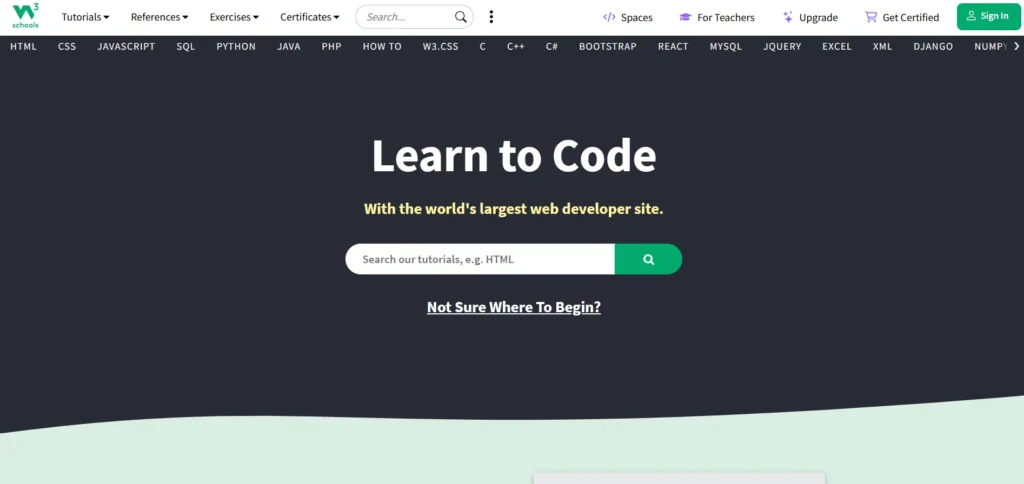
W3Schools is an online education portal focused on web development and coding technologies. It was launched in 1998 by a Norwegian company called Refsnes Data. Over time, it has become well known for its clean, minimal interface, examples you can edit and run in your browser, and a large catalog of languages, frameworks, and topics.
The “freemium” model is fundamental: much of the content—tutorials, examples, interactive snippets—is free. Then there are paid tiers or features that unlock more exercises, assessments, certificate exams, and hosting features.
Though many new learners assume W3Schools is affiliated with the W3C (World Wide Web Consortium), it is not. It simply borrows a similar name. Because it is independent, the content is not guaranteed to always match the latest web standards or browser behavior.
In short: W3Schools is a tutorial and reference site, not an official standards authority. Use it as a learning aid, not as the ultimate source.
Is W3Schools Affiliated with the World Wide Web Consortium (W3C)?
No. Let me restate that clearly: W3Schools is not affiliated with the W3C. Many people assume that “W3” means “World Wide Web Consortium,” but that is misleading. The similarity in name causes confusion among beginners.
Because it is independent, some of the content on W3Schools may lag behind official specifications or contain simplifications, omissions, or errors. Over the years, critics have pointed out instances where W3Schools taught deprecated methods or left out important caveats.
So always pair it with more authoritative documentation—especially once you move beyond basics.
Key Features of W3Schools
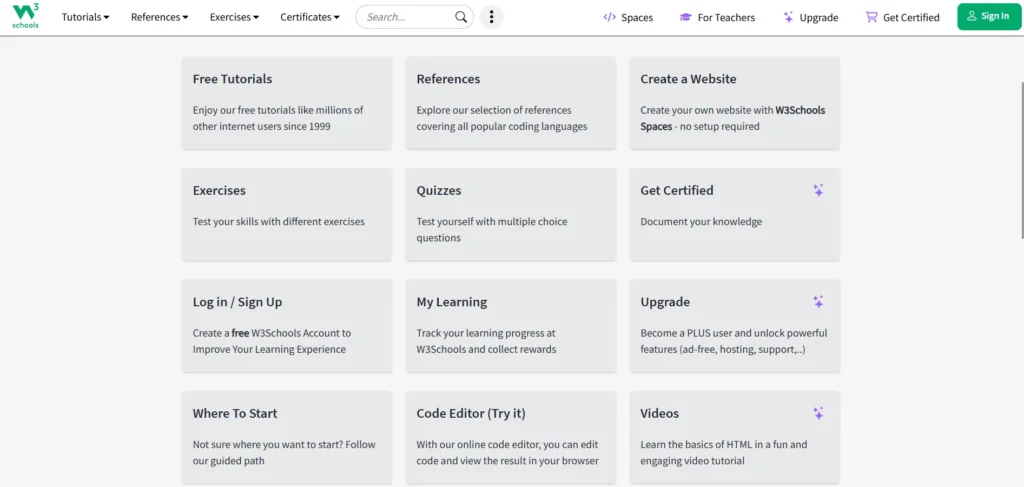
To understand what W3Schools offers, let me walk you through its main features. These are the things you’ll actually use (or struggle with) when learning via this platform.
1. Interactive Learning with the TryIt Editor
One of the biggest draws of W3Schools is the built-in code editor in its tutorials. Often you’ll see a block of HTML/CSS/JavaScript, and a “Try It Yourself” button. Clicking it opens an editor where you can:
- Change the code in real time
- Press “Run” (or similar) to see output immediately
- Experiment without installing anything locally
This is a great feature for beginners. It reduces friction: you don’t have to set up a development environment, deal with file paths, servers, or local setups at first. You can jump directly into editing and see how code works.
It helps with experimentation: change a color, try adding a tag, tweak layout, and watch the effect right away. That immediacy helps learning stick.
However, it has limits:
- It’s primarily useful for front-end / browser code (HTML, CSS, basic JavaScript). Complex back-end logic, server calls, databases, or full-stack apps won’t run well (or at all) in the embedded editor.
- The editor environment is isolated; you don’t get the full tooling, debugging, version control, or error inspects you’d get in a local IDE.
- As your projects grow, you’ll outgrow the editor and need to switch to proper development tools.
Still, for getting started and trying small bits of code, it’s very useful.
2. Well-Structured Tutorials
W3Schools’ tutorials tend to follow a consistent pattern:
- Introduce a concept or tag
- Show example code
- Provide a “Try It Yourself” sample
- Offer a small quiz or exercise at the end
Lessons are broken down into sequential, digestible chunks. This modular style helps learners not get overwhelmed. You can take one concept at a time, practice, then move on.
Because of this structure, many learners find the site approachable. You don’t need prior knowledge to begin. The lessons often assume little and build upward.
However, while structure is good, depth is sometimes lacking (we’ll discuss that later). In some cases, the tutorials explain “how” but not always “why” or best practices, or trade-offs.
3. Wide Range of Topics
One strength is breadth. W3Schools covers many web and programming topics, including:
- Web basics: HTML, CSS, JavaScript
- Front-end libraries and frameworks: Bootstrap, jQuery, Angular
- Backend and server-side languages: PHP, SQL, Node.js
- APIs, XML, JSON, AJAX
- Hosting, services, web servers
- Data science (in newer sections)
- Certificate paths, templates, tools
Because it touches many areas under one roof, W3Schools allows you to experiment across front-end, backend, databases, APIs, etc., without switching platforms early.
This is good for exploration. If you’re not sure which direction you’ll lean (front-end, back-end, full stack), the variety is a plus.
The downside is, with breadth comes thinner coverage per topic. Some lessons stop short of handling edge cases, deeper issues, or production scenarios.
4. Hands-On Quizzes and Challenges
W3Schools doesn’t just let you read; it also offers quizzes and small code challenges to test your understanding. After you finish a few lessons, you’ll often see a quiz or assessment. These help reinforce what you’ve learned, forcing you to recall and apply it.
In the paid tiers, more advanced or unlimited challenges may be unlocked. More practice means better mastery.
These assessments are important. Learning alone is passive; doing is active. W3Schools helps by embedding small tasks to keep the training interactive.
5. Certifications & Paths
W3Schools offers certificate exams in languages like HTML, CSS, JavaScript, etc. If you pass, you get a certificate to show you completed the assessment.
They also package “paths” or bootcamp styles for domains like web development or data analytics. For example, one of their paths may combine modules in Python, SQL, and data tools, culminating in credentials.
Certificates are motivating and serve as proof you put in time. But their industry weight is debated. Some learners see them as “nice to have,” others see them as insufficient compared to real project work or institution-backed credentials.
6. Responsive and Mobile-Friendly Interface
W3Schools aims to make learning flexible. The site is responsive, so lessons, editors, and reference pages adapt to different devices. You can view them on tablets or even phones. That flexibility allows bite-sized study sessions when you’re not at your main computer.
7. Subscription Plans & Premium Features
Because free content can only take the platform so far, W3Schools uses paid tiers to monetise and offer more features. Typical elements of paid plans might include:
- Ad-free experience
- Unlimited challenges / assessments
- Expanded hosting or “spaces” for project deployment
- More templates and tools
- Access to certificate exams or all of them
- Lifetime access or “Full Access” options
In free mode, you get core tutorials, the TryIt editor, basic tracking, and limited hosting options or credits for tools. Paid tiers unlock more depth, more interactivity, and more project capabilities.
Whether these upgrades are worth the cost depends on how far you intend to go, how intensively you plan to learn, and whether you value certificate access or project deployment.
Courses / Learning Paths Offered by W3Schools
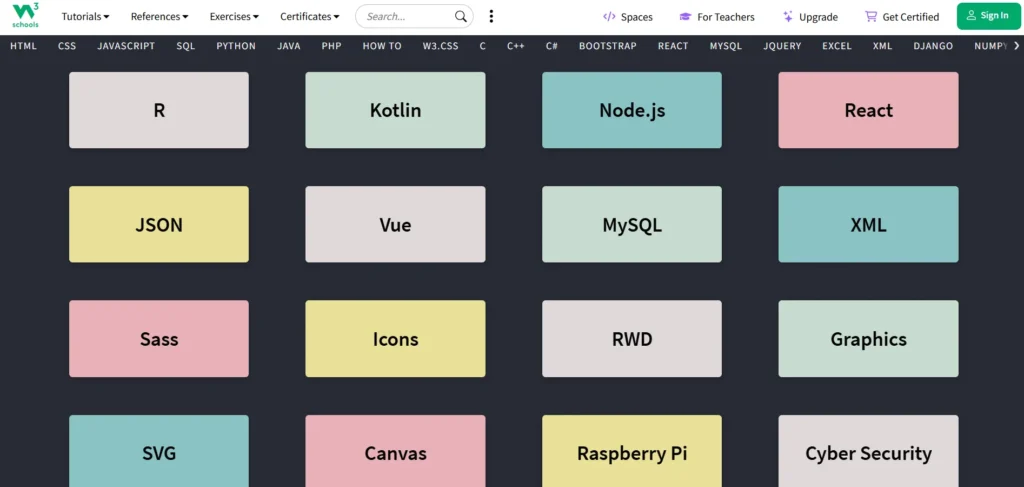
While W3Schools doesn’t always package its content in rigid “courses” like some MOOC platforms, it does create paths or structured tracks in certain areas. Here’s how you might see its offerings in practice:
- A fundamental web development path: HTML → CSS → JavaScript
- After mastering basics, optional modules in frameworks (Bootstrap, Angular) or APIs
- Backend modules (PHP, SQL, Node.js)
- Data analytics path (Python, SQL, data libraries)
- Certificate track: complete a set of lessons and pass exams
- Bootcamp or “full stack” style modules in some regions
Because W3Schools is modular, you can mix and match, skip topics, or zigzag. That gives flexibility but also less guidance than more rigid course systems.
If you prefer a more guided curriculum or accountability features (peer review, projects, mentor feedback), other platforms may outshine W3Schools in that regard.
Pricing & Plans
Let me give you a clear breakdown of how W3Schools prices its features, and what you get at each level. Keep in mind that pricing may change, so always check the official site for the latest.
Free Plan
- Cost: zero
- Access: core tutorials, TryIt editor, basic reference material
- Features: ability to host a small static site (in some versions), basic progress tracking
- Limitations: ads, limited challenges, restricted project/hosting options, no premium support
This free plan is generous enough for many beginners. You can gain real skills at no cost.
Paid / Plus / Premium Tier
- Monthly or annual subscription
- Removes ads
- Unlocks more challenges, quizzes, assessments
- Expanded project hosting or “spaces”
- More templates, tools, or AI credits (in some newer features)
- Access to certificate exams if locked behind paywall
This tier is targeted at learners who want to deepen training, reduce friction, and move from simple tutorials to more practice.
Full Access / Lifetime Plan
- One-time payment (usually substantial)
- Access to all lessons, all certificates, all future updates, unlimited project options
- Ideal for someone who wants all content locked in forever
This option is a bet: you pay once for all. If you use it for many years and go deep, it may be worth it. If you drift to other platforms or prefer hands-on project work elsewhere, value may drop.
Whether paid tiers are worth it depends heavily on usage. If you plan to really use the site intensively—do many exercises, get certificates, build projects—they may be justified. If you’re just using it occasionally for reference, free may suffice.
Pros of W3Schools
Now let’s talk about the positive side. What does W3Schools do well—what makes it a viable option for learners?
- Beginner-Friendly: W3Schools is perfect for those just starting with web development. Its easy-to-follow tutorials and interactive lessons make learning straightforward and enjoyable.
- Interactive Learning: The TryIt Editor allows you to experiment with code as you learn, providing immediate feedback.
- Comprehensive Coverage: W3Schools offers a wide range of topics from web design to backend technologies, making it a one-stop shop for web development learners.
- Affordable Certifications: The certifications are reasonably priced and provide a way to validate your knowledge.
- Mobile-Friendly: The responsive design of the platform means you can learn on the go, whether on your phone or tablet.
Cons & Criticisms of W3Schools
No review is balanced without the downside. W3Schools has several well-documented weaknesses, some of which are serious.
- Not Deep Enough for Advanced Learners: While W3Schools is great for beginners, it may not provide the depth needed for more advanced learners or professional developers.
- Limited Real-World Projects: W3Schools focuses heavily on theory and basic examples, but it lacks real-world projects that could better prepare learners for actual work in the industry.
- Occasional Outdated Content: Some of the tutorials on W3Schools are outdated and do not reflect the latest changes in web development trends or technologies.
What Real Users Say
It’s one thing for me to describe pros and cons; it’s another to see what people using it in the wild say. Here’s what user reviews and community voices reveal.
Trustpilot & User Reviews
On Trustpilot, W3Schools has an average rating around 3.7 out of 5. Some users praise it: “One of the best programming learning websites for beginners,” “fundamentals well taught.” But others raise serious concerns: account closures, refund issues, or outdated course content. (Trustpilot reviews)
One user wrote that their account was shut down with no clear reason, cutting off access to websites they built. Another complained that a React course didn’t even cover functional components, calling it “out of date.”
These negative reports highlight a risk: when relying on a platform, institutional issues like support, account stability, and content updates matter as much as teaching quality.
Reddit & Developer Forums
In developer forums and subreddits, opinions are mixed but often lean cautious:
- One commenter said the site sometimes has content that is “five years old” and flagged inconsistencies in how topics are presented.
- Others say they use W3Schools more as a quick reference than a primary learning resource.
- In a discussion, a user said “I always feel like I’m going in circles with W3Schools … some pieces of the puzzle are missing.”
- Another user said “I wasted my time on W3Schools” but also acknowledged its value for teaching basic web development, calling it “fine for entry level, but not enough for real depth.”
These voices point to what many advanced learners see: it’s a useful “first pass” tool, not a final or complete solution.
FreeCodeCamp & Learning Communities
In the FreeCodeCamp forums and similar communities, people often say something like:
- “W3Schools is great for beginners, free, many examples. But it lacks depth and doesn’t offer real projects.”
- “I use W3Schools as a reference site. For serious learning, I’ve moved to MDN, project-based tutorials, and coding bootcamps.”
- The consensus tends to be: start here, but don’t stay here.
Pathrise’s review of W3Schools also notes that while many reviews are positive for beginners, there’s no formal curriculum or community support, and advanced learners may find it limiting.
In short: users often praise the accessibility and clarity for beginners, but criticize shallow coverage, outdated bits, and lack of structure, support, or real projects.
Who W3Schools Is For (and Who It’s Not For)
Based on features, pros, cons, and user feedback, here’s how I would categorize who benefits most (and least) from W3Schools.
Best For:
- Absolute beginners with little or no coding experience
- Learners who prefer learning by doing / experimenting
- People on tight budgets who want a free or low-cost starting resource
- Learners who want to quickly look up snippets, syntax, or examples
- Someone exploring which direction (front-end, back-end, full stack) to go
- People who prefer a lightweight, no-frills interface over more complex ones
Less Ideal For:
- People wanting deep mastery or edge-case expertise
- Learners seeking mentor support, peer code reviews, or community interaction
- Developers building complex or production-level projects
- Users who demand perfect alignment with the latest standards or browser compatibility nuances
- Those who want heavy project-based learning or guided paths
- Learners expecting certificates with strong industry recognition
If your plan is “learn enough to handle real-world work,” then W3Schools can be part of your toolkit but not your whole path.
My Verdict & Suggested Use Strategy
If I were starting again today, how would I use W3Schools? And what weight would I give it? Here’s my take.
I see W3Schools as a foundation layer—a starting point rather than a destination. It’s excellent for building confidence, grasping fundamentals, tinkering with small examples, and getting immediate feedback via the editor. For the early stages (HTML, CSS, JS basics), it’s one of the gentler, more accessible platforms out there.
But I would never rely on it alone. As soon as I moved to intermediate topics—frameworks, advanced JavaScript, performance, APIs, security, deployment—I would pair it with deeper resources (official docs, books, project tutorials, community forums). I would migrate my learning to real projects, version control, debugging, and real deployment contexts.
If I were to assign a rating, I would give W3Schools 3.75 to 4 out of 5 for beginner use. Not perfect, but strong for what it is. The “weakest” areas drag it down: lack of depth, occasional outdated content, weak support, and certificate value uncertainty.
Suggested Use Strategy
Here’s the way I’d use W3Schools best:
- Start with fundamentals: HTML → CSS → basic JavaScript. Use TryIt to test snippets as you go.
- Quiz yourself: use the challenges, assessments, or quizzes to test retention.
- Use it as reference: when you forget a tag, method, or syntax, quickly search W3Schools for examples.
- Check official docs in parallel: when you learn something, cross-check it with MDN, language specs, or framework docs to get depth and context.
- Build small projects independently: a to-do list, portfolio site, interactive form, API fetcher. Use W3Schools for quick help but try to do tweaking and logic on your own.
- Don’t rely heavily on its certificate: treat it more as self-motivation than a huge credential.
- Move to advanced resources when ready: specialized courses, books, tutorials, community challenges.
In that way, W3Schools becomes a useful tool in your learning toolbox, not your only tool.
FAQs
Is W3Schools truly free to use?
Yes. Many tutorials, examples, code editors, and reference materials are available for free. You can learn a lot without paying. Premium features (certificates, advanced challenges, hosting, etc.) are behind paid tiers.
Are the “TryIt” editors reliable?
They are reliable for front-end, snippet-level code (HTML, CSS, JavaScript). But they are not designed for full server-side programming, complex frameworks, or large-scale apps. As you grow, you’ll need to move to your own development environment.
Are W3Schools certificates respected in the industry?
They have motivational value and show you completed assessments. But among employers or technical peers, they are generally considered less powerful than project portfolios, institution-backed credentials, or real-world experience.
Is W3Schools good for learning JavaScript?
It’s decent for basic JavaScript—syntax, DOM manipulation, basic logic. But for advanced JavaScript (async/await, closures, design patterns, frameworks, performance, tooling), its coverage is limited. You’ll need deeper resources.
Will W3Schools teach me everything I need to build a real website?
Not by itself. With W3Schools, you can learn a lot, but you’ll still need to explore deeper tutorials, documentation, projects, frameworks, and deployment strategies to build professional-grade websites.
Is it risky to rely on W3Schools content if parts are outdated?
Yes, some parts may lag behind newer web standards or browser behavior. That’s why pairing W3Schools with more authoritative sources is wise. Watch out for deprecated tags, obsolete methods, and missing edge-case considerations.